
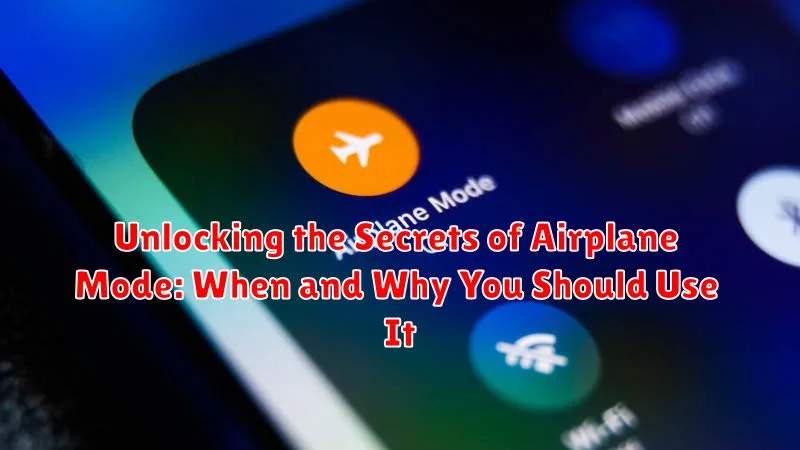
Airplane mode. It’s a feature on our smartphones, tablets, and even some laptops that we often glance over. But this seemingly simple setting holds a surprising amount of power and utility beyond just its in-flight application. Understanding when and why to utilize airplane mode can significantly enhance your device’s performance, security, and even your own well-being. This article delves into the secrets of airplane mode, exploring the optimal times to activate it and the numerous benefits you can reap from its proper use. From extending battery life and blocking distractions to bolstering security and troubleshooting connectivity issues, unlocking the potential of airplane mode can truly revolutionize your digital experience.
While many associate airplane mode solely with air travel, its functionality extends far beyond the confines of an aircraft. This article will dispel the common misconceptions surrounding airplane mode and shed light on its versatility in everyday life. Whether you’re looking to maximize your battery life during a long commute, create a distraction-free environment for focused work, or enhance your device’s security against potential threats, understanding the nuances of airplane mode can empower you to take control of your digital world. Discover the secrets of airplane mode and unlock a new level of control over your device’s functionality and your own digital well-being.
Understanding Airplane Mode
Airplane Mode is a setting on electronic devices, such as smartphones, tablets, and laptops, that disables the device’s wireless communication capabilities. This essentially cuts off its ability to send or receive signals. All wireless radios, including cellular, Wi-Fi, Bluetooth, GPS, and near-field communication (NFC), are deactivated when this mode is engaged.
Despite its name, Airplane Mode isn’t solely for use on airplanes. Its core function is to temporarily suspend all wireless transmissions, making it useful in various situations beyond air travel. While the name suggests a complete shutdown, it’s important to note that some functionalities may remain accessible, such as pre-downloaded content like ebooks, music, or offline games.
The primary reason behind Airplane Mode’s existence is to prevent interference with sensitive electronic equipment. On airplanes, these signals can potentially disrupt communication and navigation systems. However, its utility extends beyond this primary purpose, offering benefits in other scenarios as well.
How to Enable and Disable Airplane Mode on Different Devices
Enabling and disabling airplane mode is generally a straightforward process, though it varies slightly across devices. Here’s a quick guide for common device types:
Smartphones and Tablets
Most smartphones and tablets offer quick access to airplane mode through a dedicated icon in the control center or notification shade. Simply swipe down from the top of the screen (or up from the bottom on some devices) and tap the airplane icon to toggle it on or off. Alternatively, you can usually find airplane mode in the main settings menu under “Network & internet” or a similar category.
Laptops
On laptops, airplane mode can typically be activated through the network settings in the system tray or taskbar. Look for a network icon (often resembling a Wi-Fi signal or a globe) and click or right-click to find the airplane mode toggle. Some laptops also have a dedicated airplane mode key on the keyboard.
Smartwatches
For smartwatches, the method varies depending on the operating system and model. Typically, you can access airplane mode through the settings menu on the watch itself or through the companion app on your paired smartphone.
Benefits of Using Airplane Mode
Engaging airplane mode offers a surprising array of advantages beyond its primary function during air travel. One of the most significant benefits is enhanced battery life. By disabling wireless communication, your device consumes significantly less power, allowing the battery to last considerably longer. This is particularly useful when you’re in areas with weak signal strength, as your device expends extra energy searching for a connection.
Airplane mode also provides a welcome reprieve from constant notifications and distractions. By silencing calls, texts, and email alerts, it creates an environment conducive to focus and productivity. This is especially valuable during meetings, study sessions, or when you simply need uninterrupted time.
Furthermore, airplane mode can help reduce data roaming charges while traveling internationally. By preventing your device from connecting to foreign networks, you avoid potentially high fees. It’s an essential precaution to take before landing in a new country.
Lastly, enabling airplane mode allows for faster charging. Without the constant drain of wireless communication, your device’s battery can replenish much more quickly, ensuring you’re powered up and ready to go in less time.
Situations Where Airplane Mode is Invaluable: Air Travel, Battery Saving, and More
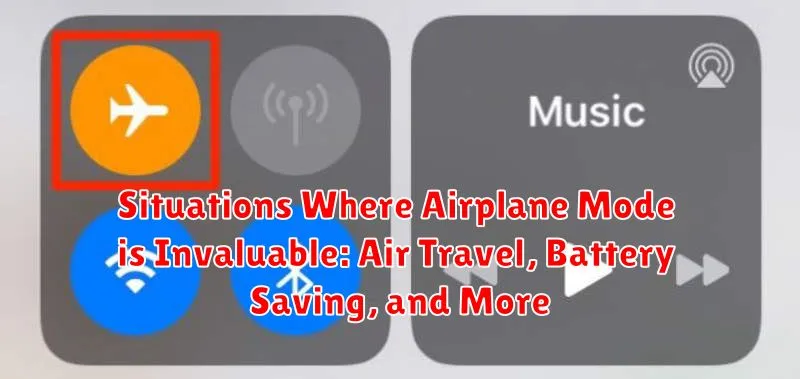
Airplane mode’s utility extends far beyond air travel. It’s a versatile tool in various situations where disconnecting is beneficial.
Air Travel
As its name suggests, enabling airplane mode is mandatory on most flights. This prevents interference with the aircraft’s communication systems.
Battery Saving
When your battery is low, airplane mode can significantly extend its life. By disabling power-hungry radios, your device conserves energy.
Improved Focus
Need to concentrate on a task or simply unwind? Airplane mode eliminates distractions from calls, texts, and notifications, creating a focused environment.
Faster Charging
Charging your device in airplane mode can speed up the process. With radios disabled, more power is directed towards replenishing the battery.
Troubleshooting Network Issues
Sometimes, toggling airplane mode on and off can resolve minor network connectivity problems by forcing your device to reconnect to the network.
Roaming Cost Avoidance
Traveling internationally? Activating airplane mode prevents accidental roaming charges by disabling cellular data connections.
Common Misconceptions about Airplane Mode
Despite its widespread use, several misconceptions surround airplane mode. One common myth is that enabling it completely eliminates all device emissions. While it significantly reduces emissions by disabling cellular, Wi-Fi, and Bluetooth, some devices may still emit minimal signals. Another misconception is that airplane mode prevents all tracking. While it hinders location tracking via cellular and Wi-Fi networks, devices can still be tracked using GPS if it’s enabled separately.
Some believe airplane mode prevents all hacking attempts. While disabling connectivity reduces the attack surface, a determined hacker could potentially exploit other vulnerabilities, especially if the device connects to a compromised network after airplane mode is deactivated. It’s crucial to understand that airplane mode isn’t a foolproof security measure.
Finally, there’s the mistaken belief that using airplane mode during a flight is solely for the benefit of the airline. While adhering to airline regulations is important, airplane mode offers personal benefits, such as extended battery life and uninterrupted focus. Understanding these misconceptions helps users leverage airplane mode effectively and dispel any unwarranted fears or assumptions.
Maximizing Battery Life with Airplane Mode
One of the most effective ways to extend your phone’s battery life is by enabling Airplane Mode. This feature disables the device’s ability to connect to cellular networks and Wi-Fi, which are significant battery drains. When your phone constantly searches for and maintains these connections, it consumes considerable power.
By activating Airplane Mode, you effectively halt these power-hungry processes. This is particularly beneficial when you’re in an area with weak or no signal, as the phone will continually work harder to establish a connection, depleting the battery more quickly. Therefore, if you anticipate being offline for an extended period, or are in an area with poor reception, switching to Airplane Mode is a practical way to conserve battery power.
Even in situations where you need Wi-Fi access, Airplane Mode can still be helpful. You can selectively re-enable Wi-Fi after activating Airplane Mode, benefiting from internet connectivity while still limiting the battery drain associated with cellular network searching.
Using Airplane Mode for a Digital Detox

In today’s hyper-connected world, constant notifications and the pressure to stay “online” can be overwhelming. Airplane mode offers a simple yet powerful tool to disconnect and reclaim your focus. By activating airplane mode, you create a digital barrier, silencing the influx of emails, messages, and social media updates.
This intentional disconnection allows for a digital detox, providing you with the space to be present in the moment. Whether you need a break from work emails, want to enjoy uninterrupted family time, or simply crave some quiet time for yourself, airplane mode can help create a peaceful digital-free environment.
Consider scheduling regular periods of “airplane mode time” throughout your week. Even short breaks can have a positive impact on your mental well-being, reducing stress and enhancing your ability to focus on tasks at hand.
