
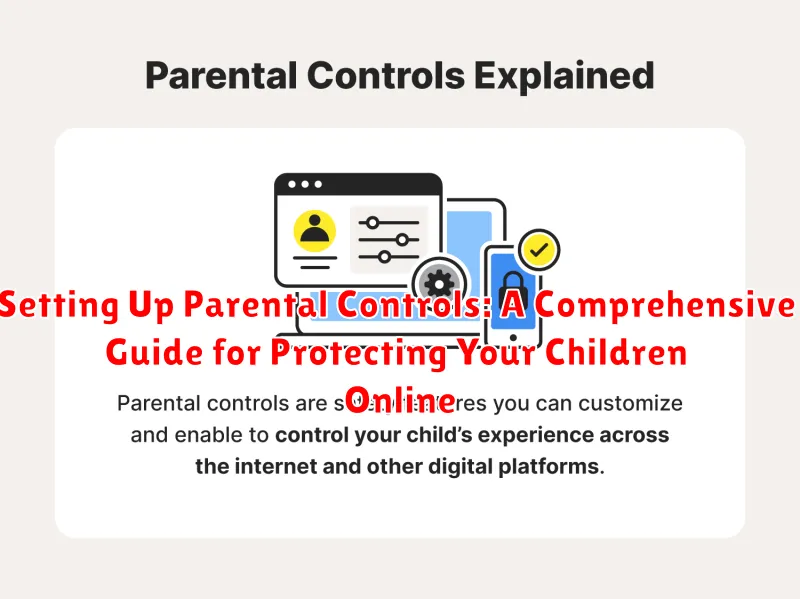
In today’s digitally driven world, ensuring the online safety of our children is paramount. The internet offers a wealth of information and opportunities, but it also harbors potential dangers. Parental controls provide a crucial layer of protection, allowing parents to monitor and manage their children’s online activities. This comprehensive guide offers step-by-step instructions and expert advice on setting up parental controls across various devices and platforms, empowering you to create a safe and secure online environment for your children.
This guide explores the essential aspects of parental control software, including content filtering, screen time management, and social media monitoring. Whether you are concerned about cyberbullying, exposure to inappropriate content, or excessive screen time, this resource provides practical solutions for protecting your children online. Learn how to effectively utilize parental control features on devices, web browsers, and apps, giving you the tools you need to safeguard your children in the digital age.
Why Parental Controls Are Important
In today’s digital age, children are exposed to a vast amount of online content, both positive and negative. Parental controls act as a safeguard, helping to protect children from inappropriate content, online predators, and cyberbullying. They provide a layer of security, allowing children to explore the online world with reduced risks.
Online safety is a paramount concern for parents. Parental controls offer a proactive approach to managing this concern. They empower parents to filter and block access to websites and apps that are not age-appropriate, shielding children from potentially harmful material like violence, pornography, and hate speech. This filtering helps create a safer online environment for children to learn and grow.
Beyond content filtering, parental controls can also help manage privacy concerns. They can restrict the sharing of personal information, preventing children from inadvertently disclosing sensitive data online. This added layer of protection helps mitigate the risks associated with online interactions and data security.
Different Types of Parental Controls Available
Several types of parental controls offer varying levels of protection and oversight. Understanding these different approaches can help you choose the best fit for your family’s needs.
Filtering and Blocking
Content filters block access to inappropriate websites and online content based on categories like violence, pornography, or gambling. These filters can be implemented at the network level or directly on devices.
Monitoring and Reporting
Monitoring tools track online activity, providing reports on websites visited, search terms used, and time spent online. Some tools even offer social media monitoring features.
Time Management
Time management controls allow you to set limits on screen time, restrict access during specific hours (like bedtime), or allocate daily usage allowances for apps and games.
App Management
App management features let you control which apps can be downloaded and used, restrict in-app purchases, and even monitor app usage.
Communication Controls
Some parental control systems offer features to manage communication, including monitoring texts and calls, blocking specific contacts, and controlling access to social media platforms.
Setting Up Parental Controls on Popular Devices and Platforms
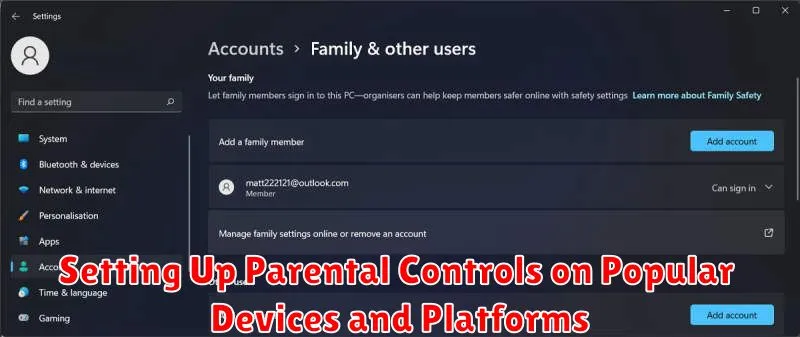
Windows: Access Family Options settings through your Microsoft account. Here you can set up individual accounts for your children, manage screen time, filter website content, and control game and app access.
macOS: Utilize Screen Time within System Preferences. Set up individual accounts for each child to control app usage, website access, and communication limits.
Android: Google Family Link allows you to manage apps, set screen time limits, and locate your child’s device. Individual devices can also have restrictions enabled within their settings.
iOS (iPhone/iPad): Screen Time is integrated into iOS. You can manage app usage, website access, and communication restrictions directly on the device or through Family Sharing.
Gaming Consoles (Xbox, PlayStation, Nintendo Switch): Each console offers dedicated family or parental control settings. These features typically allow for the management of game ratings, online interactions, and spending limits.
Customizing Parental Control Settings for Different Age Groups
Age-based customization is key to effective parental controls. A blanket approach may not be suitable for children of varying ages and maturity levels.
For younger children (pre-school to early elementary), focus on content filtering to block inappropriate websites and content. Restrict app access to educational games and age-appropriate entertainment. Screen time limits should be strictly enforced.
As children enter pre-teen and teenage years, a more nuanced approach is necessary. While content filtering remains important, consider introducing monitoring tools for social media activity and online communication. Open communication about online safety and responsible digital citizenship becomes crucial. Flexible screen time management, allowing for increased access for educational purposes and social interaction, can be implemented.
Older teens require a balance of freedom and oversight. Focus on educating them about online risks like cyberbullying, privacy concerns, and online predators. Monitoring can shift towards open discussions about their online activities. Emphasize responsible online behavior and digital well-being.
Managing Screen Time and App Usage with Parental Controls
Parental controls offer robust tools for managing screen time and application usage, fostering healthy digital habits. Scheduling features allow you to define specific time slots when devices can be used, preventing late-night usage and encouraging balanced schedules. You can also set daily or weekly time limits for overall device usage or for individual apps.
Many parental control systems allow you to block or restrict access to specific applications or categories of apps (e.g., games, social media). This helps prevent exposure to inappropriate content and ensures that children prioritize educational or productive activities.
Some advanced parental control solutions offer “pause” functionality, enabling you to instantly disable internet access or lock a device remotely. This is particularly useful during family time, study periods, or when a break from technology is needed.
By actively utilizing these screen time and app usage management tools, parents can effectively guide their children’s digital experiences and promote responsible technology use.
Monitoring Online Activity and Content Access
Actively monitoring your child’s online activity is crucial for ensuring their safety and well-being in the digital world. Parental control software and built-in device features provide a range of monitoring options.
Many parental control applications allow you to track website visits, providing insights into your child’s browsing habits. Some even offer real-time monitoring, enabling you to see their current online activity. Search history tracking is another valuable tool, revealing the keywords and topics your child is researching.
Beyond browsing, monitoring can extend to social media activity. Several tools offer insights into your child’s social media interactions, helping you identify potential cyberbullying or exposure to inappropriate content. Time limits can be set for specific apps and websites, promoting healthy digital habits and preventing excessive screen time.
Content filtering features are essential for blocking access to age-inappropriate material. These filters can be customized based on categories like violence, pornography, and gambling, creating a safer online environment for your child. Remember to review and adjust these settings periodically as your child grows and their online needs evolve.
Keeping Up with Evolving Online Threats
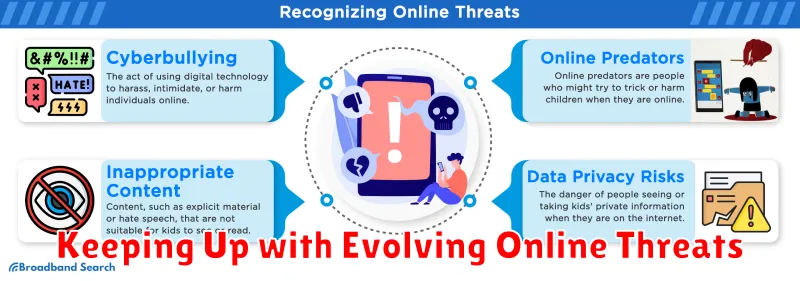
The online world is constantly changing, with new apps, platforms, and threats emerging regularly. Staying informed about these developments is crucial for effective parental control. Regularly review and update your chosen parental control software or tools. New updates often include features to address emerging online threats and vulnerabilities.
Research current online trends and popular platforms among children and adolescents. Understanding what your children are likely using helps you tailor your controls appropriately. Be aware of potential dangers like cyberbullying, online predators, and exposure to inappropriate content.
Engage with online safety resources. Many organizations offer valuable information and advice for parents on protecting children online. Look for resources from reputable cybersecurity firms, educational institutions, and government agencies.
Communicating with Your Child About Parental Controls
Open and honest communication with your child about parental controls is crucial. Explain that these tools are not meant to spy on them, but rather to help keep them safe online, much like you set rules in the physical world.
Focus on the positive aspects of parental controls. Explain how they can help protect them from inappropriate content, cyberbullying, and online predators. Frame the conversation around creating a safer and more positive online experience.
Involve your child in the process. Discuss the types of content they access and their online habits. This collaborative approach can help them understand the reasons behind the controls and build trust.
Be prepared to adjust the controls as your child grows and matures. Regularly revisit the discussion about online safety and adapt the rules as needed. This shows your child that you respect their growing independence while still prioritizing their safety.
