
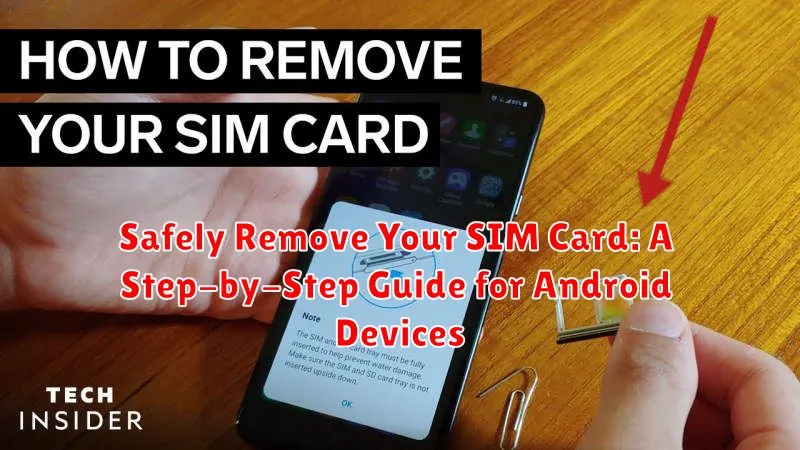
Learning how to safely remove your SIM card from your Android device is a crucial skill for any smartphone user. Whether you’re switching phones, troubleshooting network issues, or traveling internationally, knowing the correct procedure can prevent damage to your SIM card or your Android device. This step-by-step guide will provide you with the necessary knowledge to safely remove and reinsert your SIM card without any hassle.
Improper removal of a SIM card can lead to data loss or even permanent damage to the card or the device’s SIM card slot. This comprehensive guide outlines the safe removal process for Android devices, ensuring your SIM card’s integrity and preventing potential problems with your phone. Follow these straightforward instructions to confidently and safely remove your SIM card from any Android device.
Locating the SIM Card Tray on Your Android Device
The SIM card tray is a small, removable slot typically located on the side or top edge of your Android device. Its precise location varies depending on the device’s manufacturer and model.
Most modern Android phones feature a tray on one of the long sides, often near the volume buttons. Older devices or some budget models might have the tray on the top edge, near the power button or headphone jack. In rare cases, particularly with older devices, the SIM card might be located under the back cover of the phone, requiring removal of the battery.
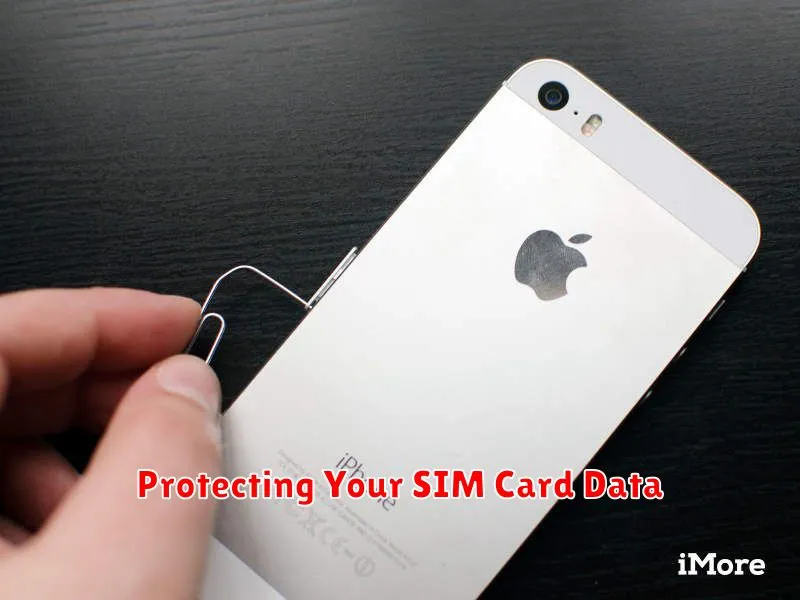
Identifying the tray is usually straightforward. Look for a small pinhole opening adjacent to the tray itself. This is the hole where you will insert the SIM ejector tool. The tray itself may be slightly recessed or have a small notch to facilitate removal.
If you’re unsure of the SIM tray’s location, consult your device’s user manual or the manufacturer’s website. These resources will provide a diagram or specific instructions for your particular model.
Using the SIM Ejector Tool
Most Android devices come with a small SIM ejector tool specifically designed to open the SIM tray. This tool is a thin, metal pin with a rounded end. If you’ve misplaced your original tool, a small, thin, and sturdy object like a straightened paperclip can work as a substitute. However, exercise caution: using an improper tool can damage the SIM tray or your device.
Locate the small hole on the SIM tray. This hole is usually located near the tray itself. Gently insert the SIM ejector tool into the hole. You should feel slight resistance. Press firmly but briefly. The SIM tray should pop out slightly. Avoid excessive force, which could cause damage.
Properly Inserting a New SIM Card
Once the SIM tray is removed, carefully place the new SIM card into the tray. Ensure it sits flush and correctly aligned within the designated slot. The SIM card has a notched corner, which helps guide proper placement. Align this notch with the corresponding notch in the SIM tray.
Pay attention to the orientation of the SIM card. Most SIM trays are designed to accommodate the SIM card in only one direction. Forcing the SIM card in the wrong direction can damage the card or the tray.
Once the SIM card is securely in place, gently slide the tray back into the device. Push it in until it clicks or sits flush with the body of the phone, indicating it is correctly inserted.
Troubleshooting SIM Card Errors
Occasionally, you might encounter issues with your SIM card. Here are some common problems and solutions:
“No SIM Card” Error
If your device displays a “No SIM Card” error, try the following:
- Power cycle your device. This often resolves temporary software glitches.
- Reseat the SIM card. Ensure it’s correctly positioned in the tray.
- Clean the SIM card’s metallic contacts with a soft, dry cloth.
- Try your SIM card in another compatible device to determine if the problem lies with the card or the device.
Invalid SIM Card Error
An “Invalid SIM Card” error might suggest a problem with the SIM card itself or its activation status. Contact your carrier to verify the card’s status and functionality. They may need to issue a replacement.
SIM Card Not Detected
If your device fails to detect the SIM card entirely, inspect the SIM card tray for any damage. A bent or broken tray can prevent proper connection. If the tray is damaged, contact your device manufacturer or carrier for a replacement.
Protecting Your SIM Card Data
While SIM cards primarily store contact information and carrier data, they can also be vulnerable to security risks. Taking precautions to protect your SIM card data is crucial for maintaining your privacy.
Set a SIM Card PIN: A strong SIM PIN acts as the first line of defense against unauthorized access. Enabling this feature requires entering the PIN every time your device restarts. This prevents someone from using your SIM card in another phone.
Keep Your Phone Secure: General phone security practices also play a role. Use a strong screen lock, be cautious of downloading apps from untrusted sources, and keep your phone’s operating system updated with the latest security patches.
Be Aware of Phishing Attempts: Be wary of suspicious messages or calls requesting personal information or prompting you to click on unknown links. These could be attempts to gain access to your SIM card and other sensitive data.
Report Lost or Stolen SIM Cards Immediately: If your SIM card is lost or stolen, contact your carrier immediately to deactivate it. This prevents unauthorized use and protects your data.
Important Considerations Before Removing Your SIM Card
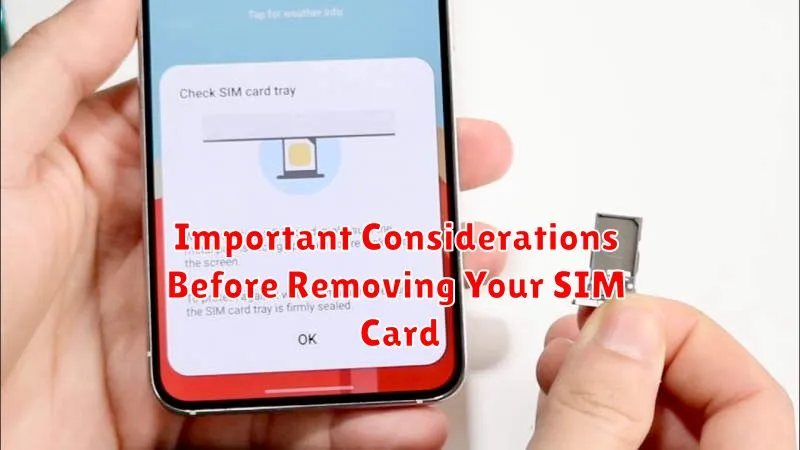
Before removing your SIM card, it’s crucial to take a few precautions to avoid potential issues. First, power off your Android device completely. This prevents data corruption and ensures a safe removal process.
Next, locate the SIM tray. Its location varies depending on your device model. Consult your user manual if needed. Ensure you have the correct SIM ejection tool. Using an improper tool can damage the tray or the SIM card itself.
Finally, inspect the SIM tray area for any debris or obstructions. Clearing the area beforehand prevents anything from entering the device when the tray is removed.
